

Jul 31, 2026Posted by Kevin Miller to Rip DVD
Quick Summary:
Looking for the best open-source DVD ripper? Here is the quick takeaway:
• Best Overall for High Quality: HandBrake
• Best for Batch Processing (Windows): VidCoder
• Best for Lossless 1:1 & Encrypted Discs: MakeMKV
If you only need a single episode from a DVD, ripping an individual chapter is possible. Instead of converting the entire disc, you can extract specific titles to keep only the part you actually need. This approach is helpful when working with large DVDs containing multiple titles or episodes. This post will teach you three best practices to rip DVD chapters individually without cost. This way, you can backup particular scenes without dealing with an entire file. You don’t have to waste much time ripping a whole DVD.

- How We Test and Pick the Best Open-source DVD Ripper
- Category A: Beginner-Friendly: One-Click & Easy Solutions
- Category B: Intermediate Level: Powerful, Customizable & Cross-Platform
- Category C: Advanced Level: Deep Processing & Legacy Workflows
- Bonus: Best Free DVD Ripper to Rip Any DVD
- FAQs of the Best Open-source DVD Ripper
How We Test and Pick the Best Open-source DVD Ripper
Look, we know software sites love making up wild speed claims, so we decided to test these rippers ourselves. No sponsored BS here—just real testing on actual DVDs using a standard Windows 11 PC (RTX 4070, i7 cpu) and an M2 MacBook Pro.
Here is what we looked at:
- Copy Protection & Encryption: We threw a mix of old home movies, standard CSS-encrypted store-bought discs, and those annoying Disney DVDs with 99 fake titles at each program to see which ones actually work or crash.
- Rip Speed: We timed how long it took to rip a full 90-minute movie disc (a dual-layer DVD-9). We also turned on GPU acceleration (like NVENC and Apple VideoToolbox) when available to check if it really speeds things up.
- Quality & Formats: Checked output options—MP4, MKV, AV1, H.265, etc. We also checked if audio tracks and subtitles actually synced up properly without getting dropped.
| Software | License / OS | Ripping Speed (90-Min DVD) | Output Formats & Codecs | Encryption & DRM Bypass | Deep Technical Features |
| VLC Media Player | Open Source Win / Mac / Linux | Slow (25–40 mins, real-time) | Containers: MP4, MKV, TS Codecs: H.264, MPEG-4 | Built-in libdvdcss Rips basic CSS discs. Fails on hard DRM. | Simple built-in player conversion, basic bitrate caps, hardware decoding. |
| MakeMKV | Freemium / Shareware Win / Mac / Linux | Ultra Fast (6–10 mins, drive-limited) | Container: MKV Only Codecs: Original raw streams | Built-in / Strong Bypasses CSS, region codes & Disney DRM. | 1:1 lossless video copy, preserves exact DVD structure and all audio/subtitle tracks. |
| HandBrake | Open Source Win / Mac / Linux | Moderate to Fast (10–18 mins via GPU) | Containers: MP4, MKV, WebM Codecs: H.264, HEVC, AV1 | Needs libdvdcss Cannot bypass modern DRM out of box. | Apple Silicon / NVENC GPU support, audio track passthrough, soft subtitles, CLI. |
| VidCoder | Open Source Windows Only | Moderate to Fast (10–18 mins via GPU) | Containers: MP4, MKV Codecs: H.264, HEVC, AV1 | Needs libdvdcss Same limits as HandBrake engine. | Batch ripping queue, auto file size targets, multi-drive picking, quick preview. |
| DVD Shrink | Proprietary (Discontinued) Windows Only | Fast (8–15 mins, no re-encode) | Containers: ISO, VIDEO_TS Codecs: Raw MPEG-2 streams | Outdated (2005) Fails on any post-2005 commercial DRM. | Compresses DVD-9 to DVD-5, removes unwanted audio tracks/menus without re-encoding. |
Category A: Beginner-Friendly: One-Click & Easy Solutions
There are many open-source DVD rippers in the market. If you are a beginner, an easy-to-use tool is essential for you, allowing you to get started quickly.
VLC Media Player
Best for Quick Rips & All-in-One Playback
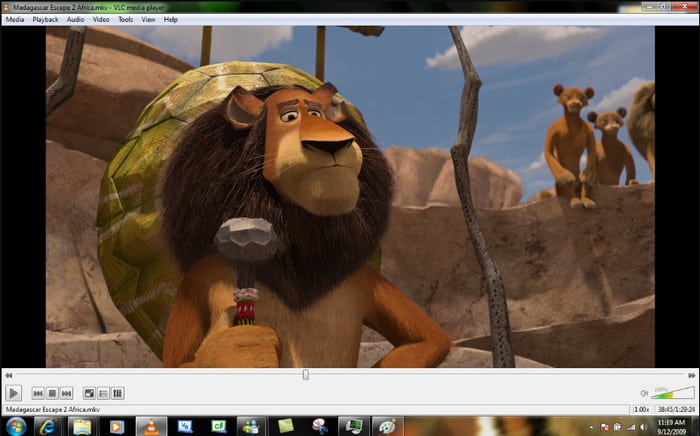
VLC Media Player is a famous open-source media player developed by VideoLAN that also doubles as a simple DVD ripper. Since most people already have it installed, it offers a zero-setup way to convert DVDs, ISO images, or VIDEO_TS folders to MP4 without downloading extra tools. With its built-in libdvdcss support, VLC can directly handle standard copy-protected DVDs out of the box.
However, its ripping speed can be a little slow, and it lacks advanced video encoding controls found in dedicated transcoders. In all, it is a convenient and free option for quick DVD backups.
Pros
- It has a built-in libdvdcss library to rip encrypted DVDs.
- It supports many output formats, like MP4, MKV, AVI, etc.
- You can select video codecs, bitrate, and resolution on this open-source DVD ripper.
Cons
- Compared to professional DVD rippers, it provides limited advanced features.
- It may not preserve DVD structure after ripping DVDs.
MakeMKV
Best for Lossless 1:1 Backup & Encrypted DVDs
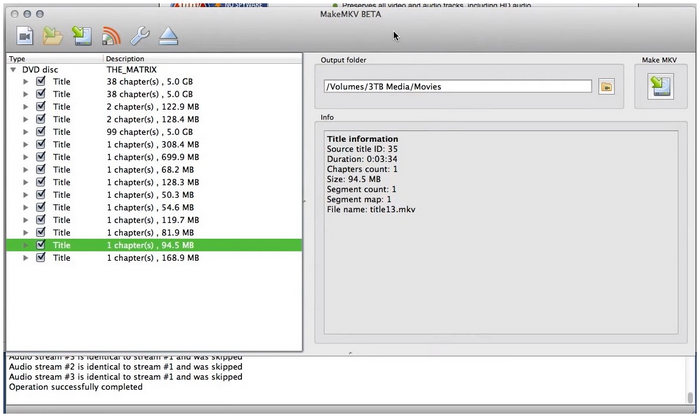
MakeMKV is a widely trusted DVD decryption tool that can effortlessly convert physical DVD discs into MKV files. Unlike transcoders that compress video files, MakeMKV extracts the exact A/V streams from a DVD directly into an uncompressed MKV container—preserving 1:1 original video quality, all audio tracks, and chapter information. Crucially, it features built-in decryption capabilities that automatically handle most commercial copy protections and region codes without needing extra plugins.
Pros
- It is known for its ability to fully preserve original DVD video/audio without any loss from re-encoding.
- It can handle standard DRM, region locks, and complex multi-title discs effortlessly.
- Its ripping speed is limited only by your optical drive speed (usually 10–15 minutes per disc).
Cons
- Uncompressed MKV files take up 4–8 GB per DVD.
- It can only output MKV format.
Category B: Intermediate Level: Powerful, Customizable & Cross-Platform
If you want to have good control over video quality, file format, and batch processing, the two powerful tools below deliver the perfect balance of performance and flexibility.
HandBrake
Best for Mac Users & High-Quality Encoding
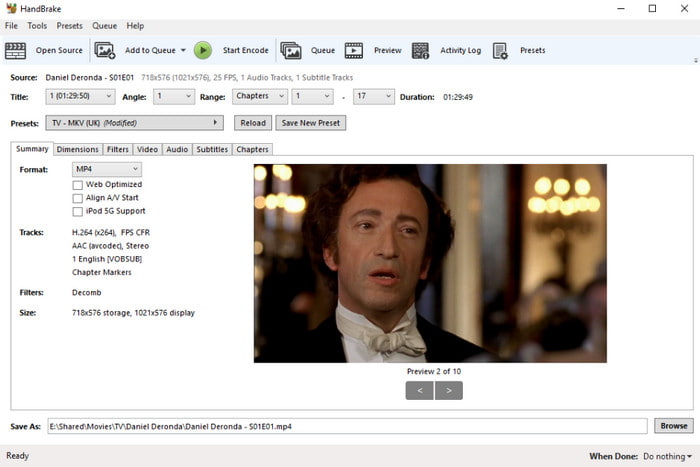
HandBrake is a well-known, open-source DVD ripper for Windows, Mac, and Linux that remains the gold standard for high-quality video encoding. While its feature-packed interface might seem intimidating to beginners, it offers deep technical control that quality enthusiasts love—including support for modern AV1 and H.265/HEVC codecs, full retention of multi-track audio and subtitles, and hardware acceleration (NVIDIA NVENC, Intel QSV).
For Apple users, HandBrake is exceptionally optimized for macOS, natively leveraging Apple Silicon (M1/M2/M3/M4) VideoToolbox encoding for blazingly fast rips with minimal battery drain.
Note on Encryption: By default, HandBrake cannot rip commercial copy-protected DVDs on its own. To bypass standard CSS encryption, you will need to pair it with the open-source libdvdcss library.
Pros
- It is a free and open-source DVD ripping software.
- It provides rich customization features, like audio track, subtitle, filters, etc.
- This best open-source DVD ripper can preserve video quality while ripping DVDs.
Cons
- It has limitations for ripping commercial DVDs with copy protection.
- Its customization options may be complex for beginners.
VidCoder
Best for Batch Ripping
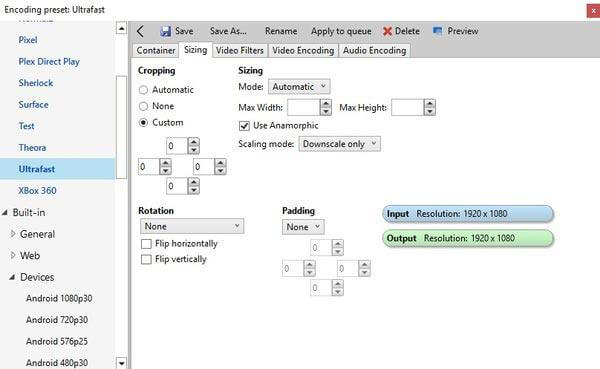
VidCoder is an open-source DVD ripping and video transcoding application designed exclusively for Windows. Since VidCoder uses the exact same encoding engine as HandBrake, you get identical video quality and output formats—but with a much more accessible and intuitive interface.
The primary reason some users choose VidCoder over HandBrake is its exceptional advantages in batch digitization workflows. This open-source tool is designed from its underlying architecture for large-scale batch burning, featuring automatic configuration of target file size/bitrate, the capability to scan multiple optical drives simultaneously, and highly customizable global queue rules. In contrast, HandBrake focuses on fine-tuning individual video files across platforms. By comparison, VidCoder simplifies large-scale project workflows and stands as an ideal tool for PC-based processing of high-concurrency queue tasks.
Pros
- It has a user-friendly interface for you to rip DVDs.
- This free DVD ripping software supports various video codecs, including H.264, H.265/HEVC, MPEG-4, MPEG-2, VP8, etc.
- This tool has an instant preview function to see the video effects.
Cons
- It cannot handle copy-protected DVDs.
- You can only use it on Windows computers.
Category C: Advanced Level: Deep Processing & Legacy Workflows
DVD Shrink is a classic DVD copying tool for Windows. Unlike active transcoders that convert videos to MP4 or MKV, DVD Shrink excels at creating 1:1 lossless backups to ISO images or DVD folders (VIDEO_TS), as well as compressing dual-layer DVDs to fit single-layer discs without re-encoding quality loss.
However, please keep several critical caveats in mind:
- Proprietary & Discontinued: DVD Shrink was proprietary software (not open-source) and development permanently ended in 2005.
- Obsolete Decryption: It cannot handle modern, complex DRM or copy protections released over the last two decades.
- Windows 10/11 & Safety Risks: To run it on modern Windows 10 or 11 PCs, you often need to run it in Compatibility Mode. Furthermore, because official download hosts are long gone, beware of third-party mirror sites that frequently bundle installers with adware or unwanted programs (PUPs). Always verify your download source.
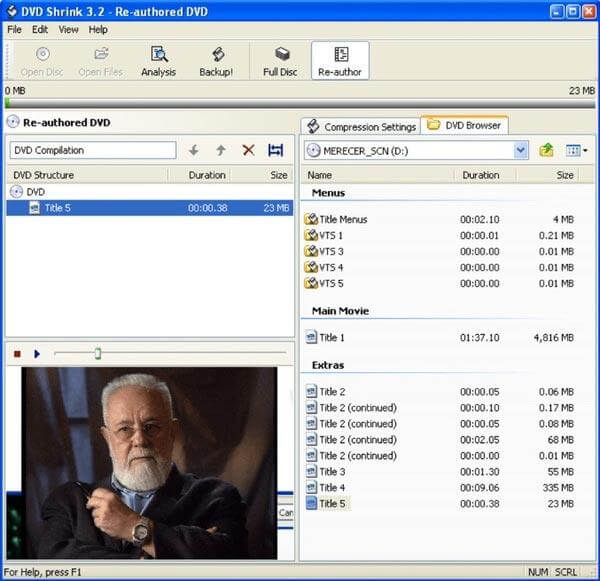
Pros
- It is easy to use with a clear and intuitive interface.
- It can remove some old copy protection to rip DVDs, like CSS.
- It has the compression ability to reduce your DVD file size.
Cons
- It is outdated and no longer updated.
- It primarily outputs DVDs to ISO or VIDEO_TS folder formats
Bonus: Best Free DVD Ripper to Rip Any DVD
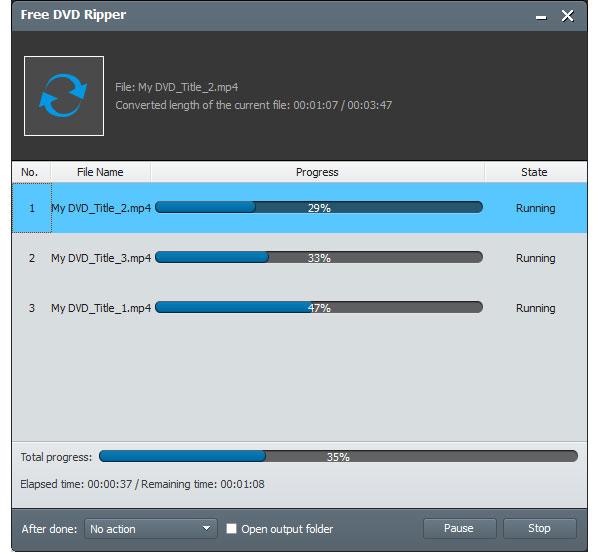
Actually, most open-source DVD ripper software cannot rip DVDs with copy protection. If you want to rip all copy-protected DVDs, you can turn to Blu-ray Master Free DVD Ripper for help. This Windows DVD ripping freeware supports the latest DVD encryption method. It is 100% safe and free to rip DVD discs and movies. You can convert DVD disc, DVD folder, and IFO files to MP4, FLV, MKV, and over 200 formats with high quality and fast speed. Furthermore, you can select the DVD titles you want to retain. You can also adjust profile settings and apply display effects freely.
1. Free rip any DVD with one cpck.
2. Play the ripped DVD movies on iPhone, iPad, Android and most popular devices without incompatibipty issues.
3. Crop video, add watermark, apply visual video effects and manage profile settings with flexible options.
4. The DVD ripper freeware works with Windows 10/8/7/XP/Vista.
Free Download
For Windows
Secure Download
Free Download
for macOS
Secure Download
Step 1.Download, install and launch Free DVD Ripper. Insert your or commercial DVD into the DVD drive.

Step 2. Click Load DVD > Load DVD Disc to scan and load the inserted DVD. Choose one mode from the Main Title or Full Title List modes in the pop-up window.
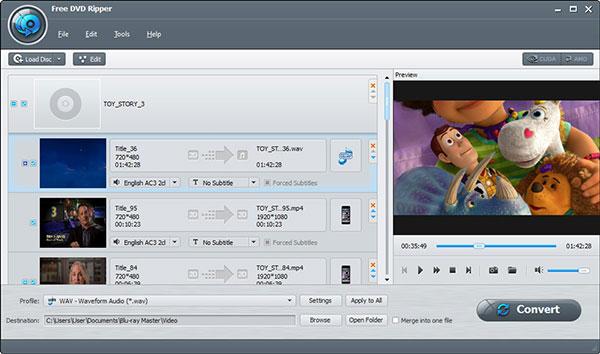
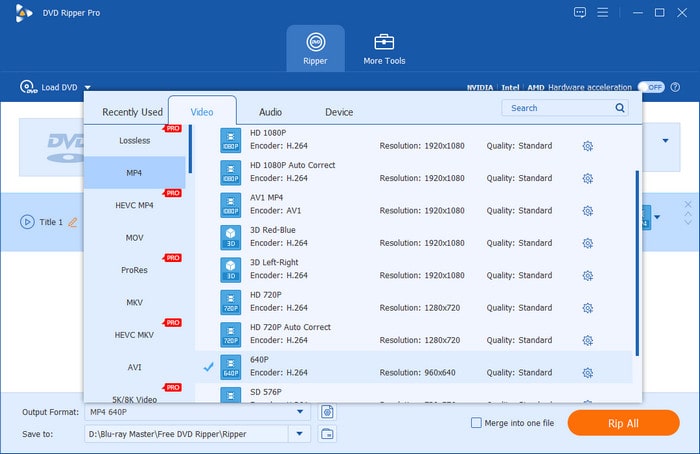
Step 3. Go to the Output Format option and click it to open the drop-down list of various video/audio formats. Choose the MP4, Same as source option as the output profile.
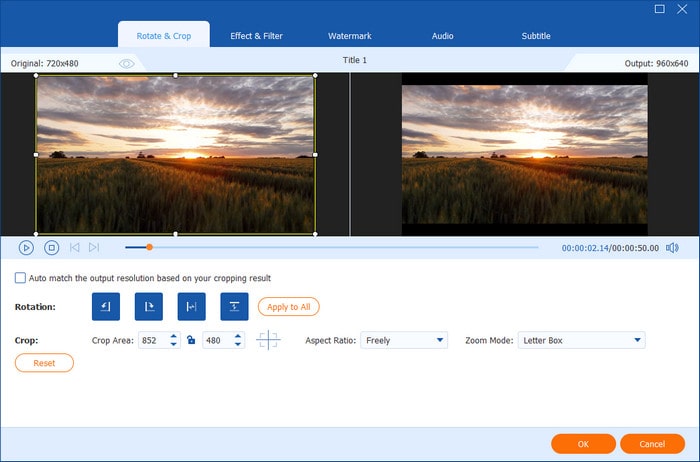
You can click the Edit, Cut, and other icons to adjust video effects.
Step 4. Lastly, select the folder icon to set a download folder and click the Rip All button to start the DVD to MP4 conversion.
FAQs of the Best Open-source DVD Ripper
-
1. What is the best free DVD ripper for Windows 10?
Free DVD Ripper is the best DVD ripping software for Windows 10. It can rip all DVDs including the protected DVD from all regions to the digital media formats. The output formats are over 1000, which can let you watch DVD movies on almost all devices. Learn here to convert DVD to digital for free on Windows 10.
-
2. Can HandBrake rip copy-protected DVDs?
No. HandBrake cannot handle commercial DVDs natively. However, you can install the libdvdcss file on HandBrake to enable it to process various DVD copy protections.
-
3. What is the best open source DVD ripper for Mac?
There are various excellent open source DVD rippers for Mac, like HandBrake, Power DVD Burner, etc. However, they do not support the protected DVD ripping. For ripping the encrypted DVDs, you should use DVD Ripper Pro, which can convert any DVDs into the digital video formats on Mac and Windows.
-
4. What does open-source mean in an open-source DVD ripper?
When software is 'open-source', it means that anybody can access, alter, and distribute its source code.
-
5. What is the best completely free and open-source DVD ripper for Windows 11 without watermarks?
HandBrake perfectly fits your requirements, which is free, open-source, and can handle commercial DVDs with libdvdcss.
-
6. Can VLC media player bypass DVD region codes and CSS encryption during ripping?
Yes. VLC can rip DVDs with region codes and copy protections because it comes bundled with built-in libdvdcss support.
-
7. Is DVD Shrink still safe and working on Windows 10/11 in 2026?
It is not recommended. While you can technically get it to open using compatibility settings, it is largely obsolete, lacks safety guarantees, and fails on most modern tasks.
-
8. Why do open-source DVD rippers fail on 99-title Disney encrypted DVDs, and what is the fix?
This is because Disney has implemented a confusion protection mechanism by creating 99 false titles and a distorted chapter sequence on the optical disc, preventing open-source software from automatically identifying the actual movie main track. You can use MakeMKV to decrypt and extract the correct main track, and then use HandBrake to compress and transcode the video files.
Conclusion
These are the 5 best open-source DVD ripper software on multiplatform. You can rip DVD discs to digital files for free. Read the article in full to learn the unique features of each tool and their differences, so that you can choose your desired tool for backing up DVDs. As for decrypting DVDs, Blu-ray Master Free DVD Ripper can be the best alternative. You can quickly convert encrypted DVDs to files with zero-loss quality. It is totally free to download and have a try.
More from Blu-ray Master
Top-rated DVD Ripper
Fast and free ripping software to decrypt all DVDs to digital easily on your computer.
100% Secure. No virus
